Watch: General Settings
Learn how to configure general system settings
Watch: General Settings
Learn how to configure general system settings
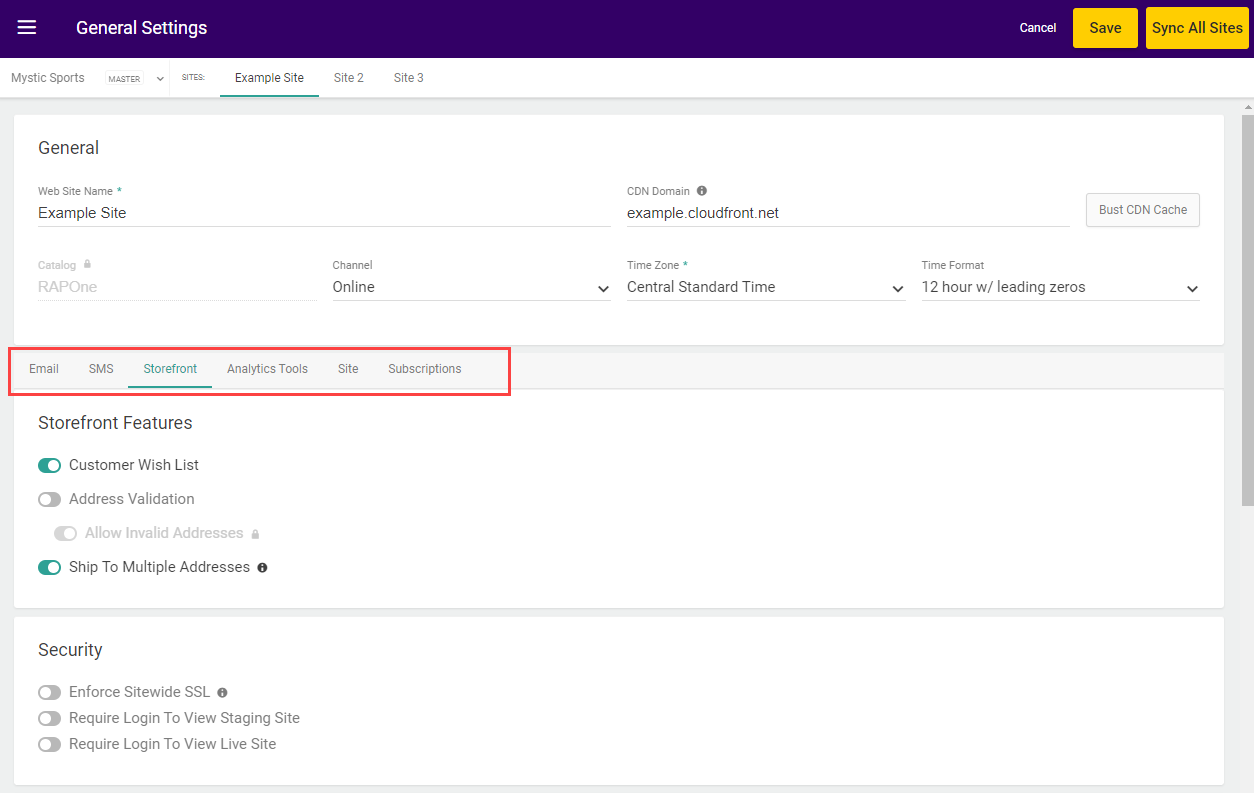
General Site Settings
These settings at the top of the page are your fundamental site settings.
Then, emails are organized into the below topics that allow you to toggle any emails used across the Kibo Composable Commerce Platform. To override the sender and reply-to defaults for an email template, click the pencil icon next to that email’s toggle. Some emails, such as Subscriptions, may not be available if your implementation is not enabled for that feature.
Order Emails
The emails included in the Orders topic are:Returns Emails
The emails included in the Returns topic are:B2B Emails
The emails included in the B2B topic are:Shipment Emails
The emails included in the Shipment topic are:Subscription Emails
The emails included in the Subscription topic are:Miscellaneous Emails
The emails included in the Miscellaneous topic are:Storefront
The Storefront tab is divided into groups of Storefront Features, Security, Google reCAPTCHA, and SEO configurations.Storefront Features
The settings included in the Features topic are:Security
The settings included in the Security topic are:Google reCAPTCHA
Enter a Site Key, Secret, and Validity Score requirement in this section’s provided fields before enabling reCAPTCHA:SEO
In this section, you can provide a default image that will display when any other image is broken or not found, or upload your own robots.txt file:Analytics Tools
In this tab, you can configure your Google Analytics settings and enter Google Account information.Site
This section has a number of fulfillment configurations that will be applied across your entire site and its fulfillment locations.Payment Capture Settings
This section configures auto capture, flexible auto capture, and payment ranking.Backorder Settings
This section configures backorder jobs and defaults. Some fields may not be editable to admins.Return Settings
This section configures return defaults and preferences.Fulfillment Settings
This section determines default rejection actions, whether to enable shipment edits, and pickup reminder jobs.Transfer Settings
This section allows you to enable BOPIS transfers and Consolidation.Inventory Settings
This section allows you to enable how inventory is managed.Tax Settings
This section determines what tax adjustments are allowed in the Order Admin.Other Settings
This section includes other miscellaneous settings.Subscriptions
In this tab, you can determine preferences for subscription continuity orders and other actions.B2B
This section contains settings for B2B Wholesale OMS — Kibo’s wholesale distribution order management capabilities. These settings are available only for tenants with the B2B Wholesale OMS feature enabled. Contact Kibo Support to enable this capability.Note: Changes to these settings take effect on the next Orchestrator pass after saving. An in-progress pass is never interrupted by a configuration change.
Inventory Balancing & Reservations
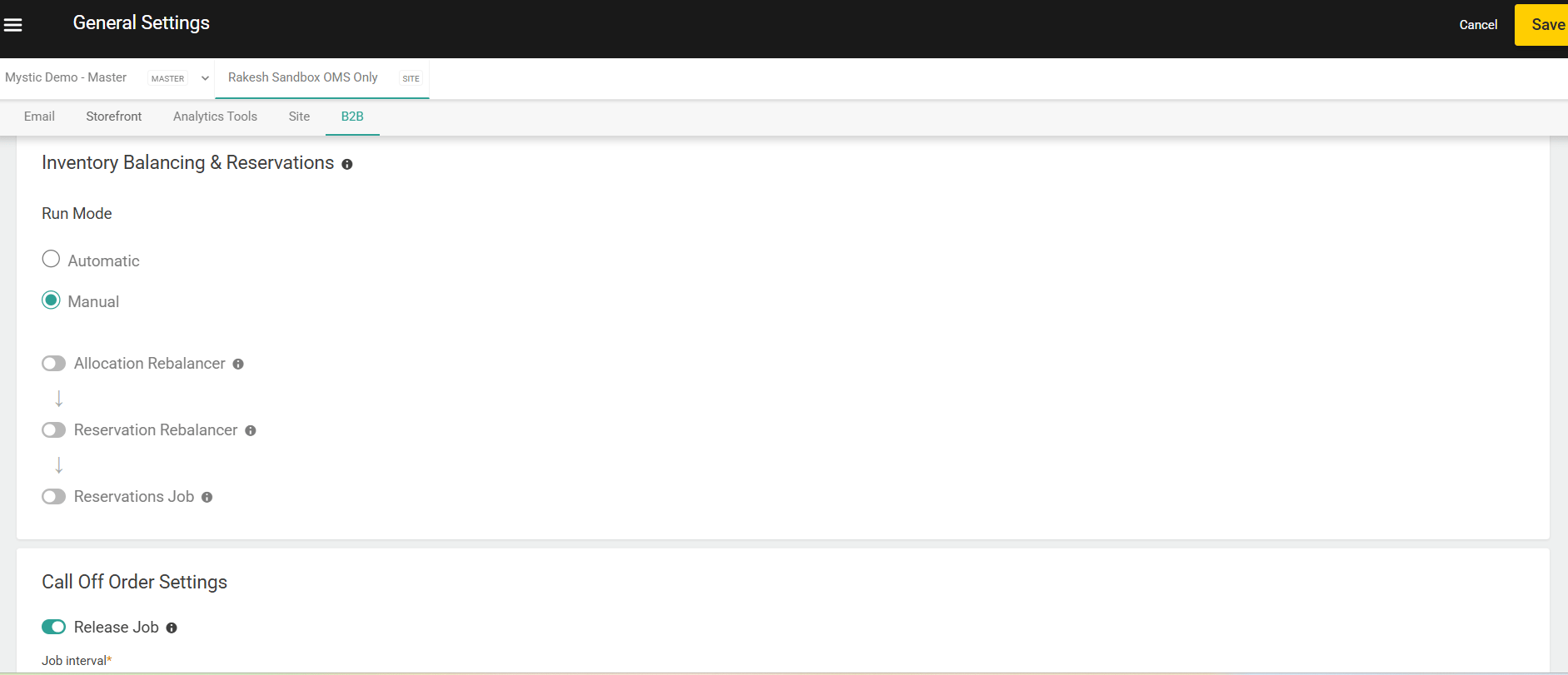
The Inventory Balancing & Reservations section configures the Orchestrator — a coordinated scheduler that runs Kibo’s B2B inventory maintenance jobs in a fixed,defined sequence on every pass. Rather than managing each job separately, the Orchestrator gives operators a single configuration surface that runs all enabled jobs in the correct order every time. The three jobs the Orchestrator coordinates always run in the following fixed order when enabled:
Disabled jobs are skipped without affecting the relative order of the remaining jobs. All three jobs default to Disabled on first setup.
Run Mode and Schedule
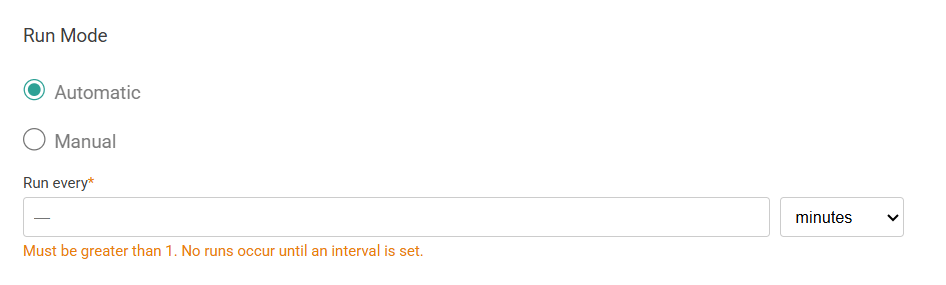
The Run Mode setting governs the entire Orchestrator pass. It applies to all three jobs together — you cannot set different run modes for individual jobs.Note: When Run Mode is set to Manual, the Run Rebalancer button becomes available in the Rebalancer Run Audit page. This button is hidden when the site is configured for Automatic mode.
Allocation Rebalancer
Toggle Allocation Rebalancer on to enable this job and reveal its sub-settings. When enabled, the Allocation Rebalancer detects supply and demand change events and automatically rebalances future shipments and backorder queues in response. See Allocation Rebalancer for a full description of how this job works.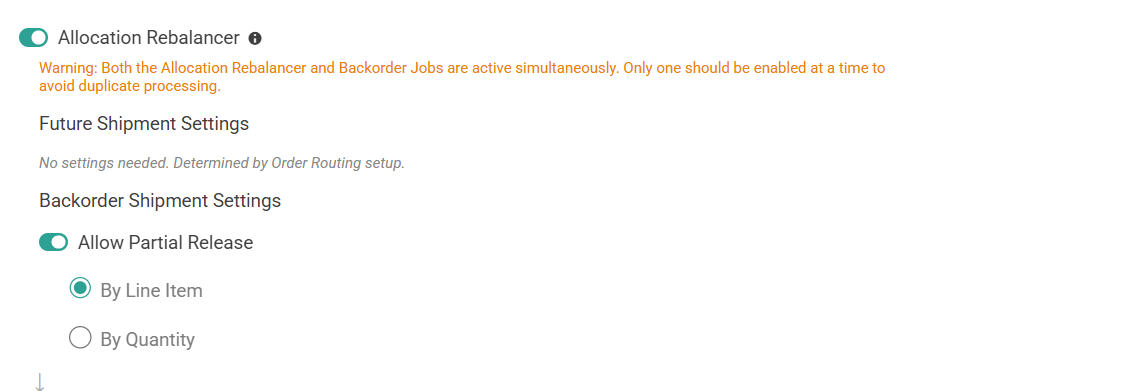
Future Shipments
Future shipment rebalancing behavior is determined by your Order Routing configuration and your configured Future Shipment Rules. There are no additional settings for future shipments within the Orchestrator.
Reservation Rebalancer
Toggle Reservation Rebalancer ON to enable this job and reveal its sub-settings(ship Date). When enabled, the Reservation Rebalancer detects supply and demand change events and rebalances impacted reservations in response. See Reservation Rebalancer for a full description of how this job works. Ship Date Setting: Ship Date Buffer is a hard, engine-enforced guarantee that supply may only be stolen from a Call-Off Order whose ship date is strictly later than the Seeker’s ship date, by at least the configured Ship-Date Buffer (in days).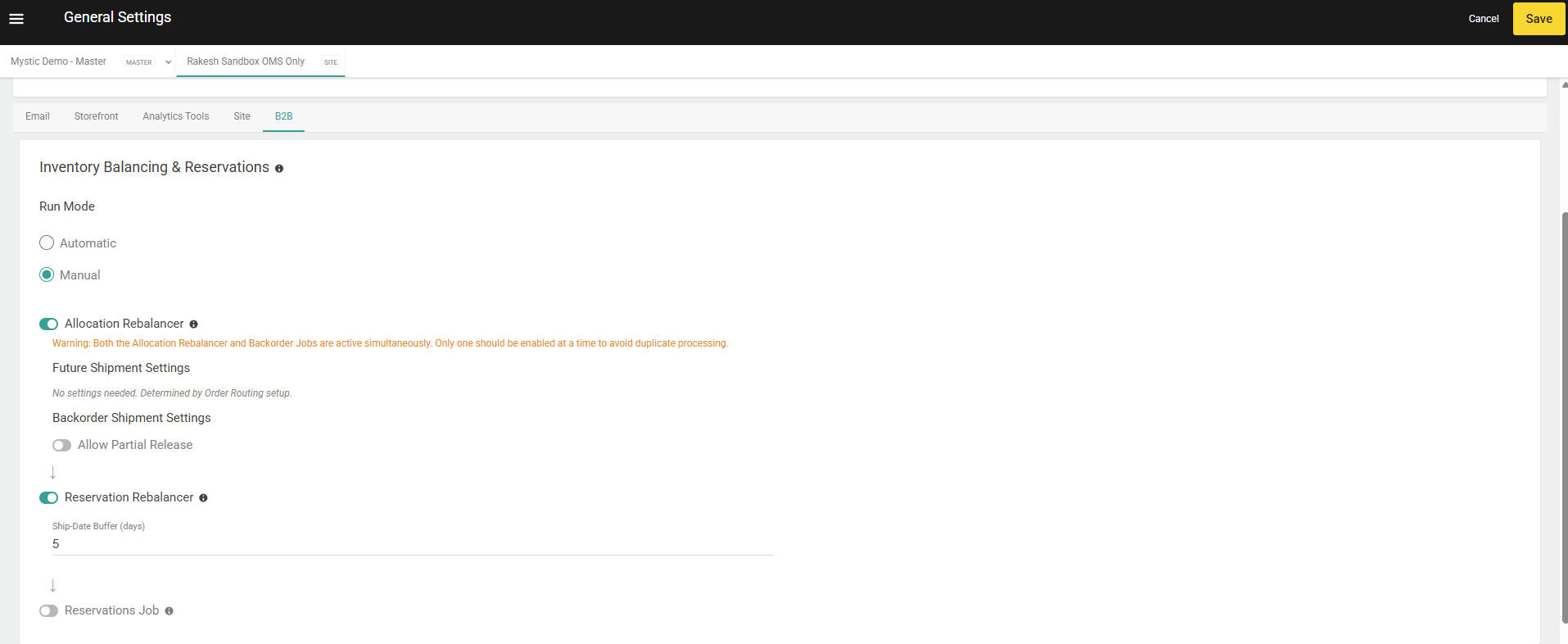
Reservations Job
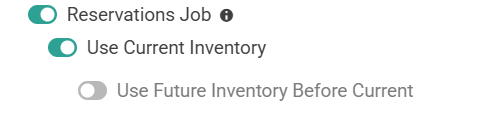
Toggle Reservations Job on to enable this job and reveal its sub-settings. When enabled, the Reservations Job runs as the final step in the Orchestrator sequence, soft-allocating inventory against Call-Off Orders in Hold or Partially Reserved status based on your configured Reservation Rules. See Reservations for a full description of how this job works.